Image Peek
A Claude Code plugin that shows you the images you paste into the prompt. Claude Code turns a pasted or dragged image
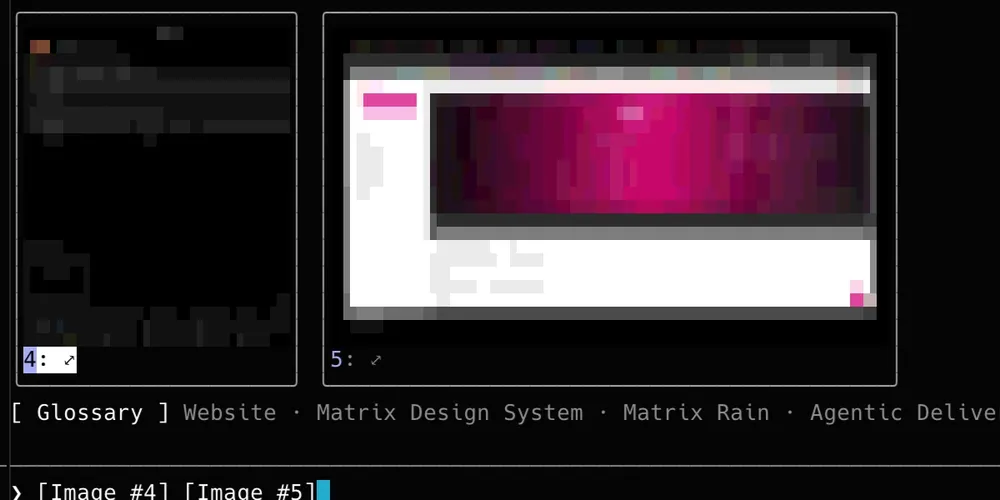
into a bare [Image #1] tag; Image Peek draws a thumbnail of each one above the prompt, and a button that opens it full
size.
It is a mod: a plugin of function hooks that runs inside Claude Code (getting started with mods).
It was built for Warp, and works in any terminal with 24-bit color. macOS only: it scales
the images with sips and opens them with Quick Look.
Install
/plugin marketplace add chicio/chicio-labs
/plugin install image-peek@chicio-labs
/reload-plugins
Using it
- Paste or drag an image into the prompt. A tile appears above the prompt for every
[Image #N]in the draft, in the order they appear, sized to keep each picture's proportions and shrunk so the whole row fits. Delete a tag, or send the prompt, and its tile goes. - Enlarge one: click its
⤢button, or focus the band (ctrl+x tab, or click) and press the image's number (1 to 9). The image opens in Quick Look, brought in front of the terminal; Space or Esc closes it. The first time, macOS may ask to let the terminal control System Events, which is what brings the panel forward.
How it draws
The thumbnail depends on what the terminal can show inside Claude Code:
- kitty and Ghostty: real pixels, through Claude Code's own image element (kitty graphics with Unicode placeholders).
- Warp, tmux and every other terminal: block characters. Each character cell shows four pixels as a quadrant glyph in the two colors that fit them best, so a full tile is about 48×24 pixels. That is enough to tell the screenshot from the diagram, not to read text: that is what the button is for.
Warp renders kitty images in ordinary command output, but not the Unicode placeholders Claude Code uses
(warpdotdev/warp#6210), and a plugin cannot send image escape
sequences of its own. When Warp supports them, setting CLAUDE_CODE_FORCE_TERMINAL_IMAGES=1 switches Image Peek to
real pixels there too.
The thumbnails are written next to Claude Code's cached copy of each paste, in the session's temporary folder, and go with it.
Credits
Inspired by claude-image-view by Jarrod Watts, which shows real pixels in kitty and Ghostty. Image Peek's paste detection, cache lookup and tile layout are adapted from it under the MIT License, as is Image Peek; both notices are in LICENSE.
Development
From the repository root:
claude plugin validate claude-plugins/image-peek
claude plugin test claude-plugins/image-peek
CI runs both on every push. tsc -p claude-plugins/image-peek type-checks the mod once a Claude Code session has
loaded it, since the engine writes the type declarations it extends at load time. Releases go through the
release-plugin.yml workflow, which bumps version in .claude-plugin/plugin.json, writes CHANGELOG.md and tags
image-peek--v<version>.